

Give your audio products a tangible, professional presence.
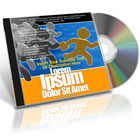
This mockup features a classic jewel case–style package with a disc element, reimagined as a modern presentation for today’s audio-based digital products. It’s designed to help creators, producers, and marketers visually package audio content in a way that feels premium, organized, and high-value.
Whether you’re launching music, promoting audio programs, or selling sound-based digital products, this mockup transforms flat artwork into a compelling, real-world style presentation that builds trust and elevates perceived quality.
Use it to clearly communicate that your offer is audio-focused, structured, and professionally produced—without relying on outdated physical media terminology.
Perfect for presenting:
-
Music releases, albums, EPs, and singles
-
Podcasts, podcast seasons, and premium audio episodes
-
Audio courses, lessons, and spoken-word programs
-
Meditation, mindfulness, and relaxation audio content
-
Audiobooks and narrated content
-
Sound effects packs and audio libraries
-
Music loops, beats, and producer kits
-
Voice training, vocal coaching, and language audio programs
-
Membership audio libraries and content vaults
-
Downloadable audio products and bundles
Why this mockup works
-
Uses a familiar audio-inspired format that instantly signals “sound”
-
Adds tangible value to digital audio products
-
Enhances credibility on sales pages, stores, and launch materials
-
Ideal for websites, landing pages, ads, email campaigns, and presentations
-
Flexible across music, education, wellness, and creator niches
Create audio product visuals that feel intentional, professional, and ready for sale—without being locked into outdated physical media.
Cover Actions Requirement & Compatibility:
** ENGLISH Version Adobe Photoshop CS2, CS3, CS4, CS5, CS6, CC up to Photoshop 2026 pre-installed on Microsoft Windows OR Apple Mac OS.
Don’t have Photoshop? Get Your 7-Day Free Trial HERE
What You’ll Get:
- 1 Photoshop Action (.ATN file): Drag and drop the .ATN file into your Photoshop Actions panel. Run the “Starter Template” step, insert your artwork, then play “Render 3D” to transform your flat design into a stunning 3D visual.
- 1 Ready-Made PSD Template: Use this template as your starting canvas. Customize text, colors, and images, then run the “Render 3D” action to finalize your realistic mockup.

*** Member Downloads Area ***
Please login or register before start downloading.
These files are accessible for:
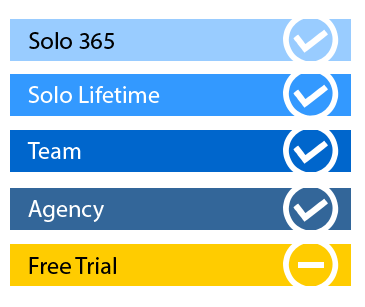
New member use below download link:

**These files are accessible only upon purchase of this products.
( Members must be logged in )
Become A Member
–MOCKUP SINGLE PURCHASE–

Similar CD Jewel Case Mockups:
 |
 |
 |
Related Posts
 2 Module Learning Course Mockup -DVD Case Style
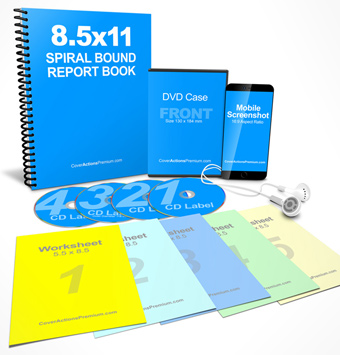 Complete Coaching Toolkit Mockup
 Mobile-Ready Training Program Mockup
 54 x 87mm Calendar Jewel Case Mockup
 6 x 4 Calendar Jewel Case Mock Up Cover Actions
 Calendar Jewel Case Mockup-118 x 137mm
 4 Panel CD Digipack Mockup
 6 Panel Digipak -Center Tray- Mockup Set | Photoshop Action
 Guided Learning Book & Companion Course Mockup